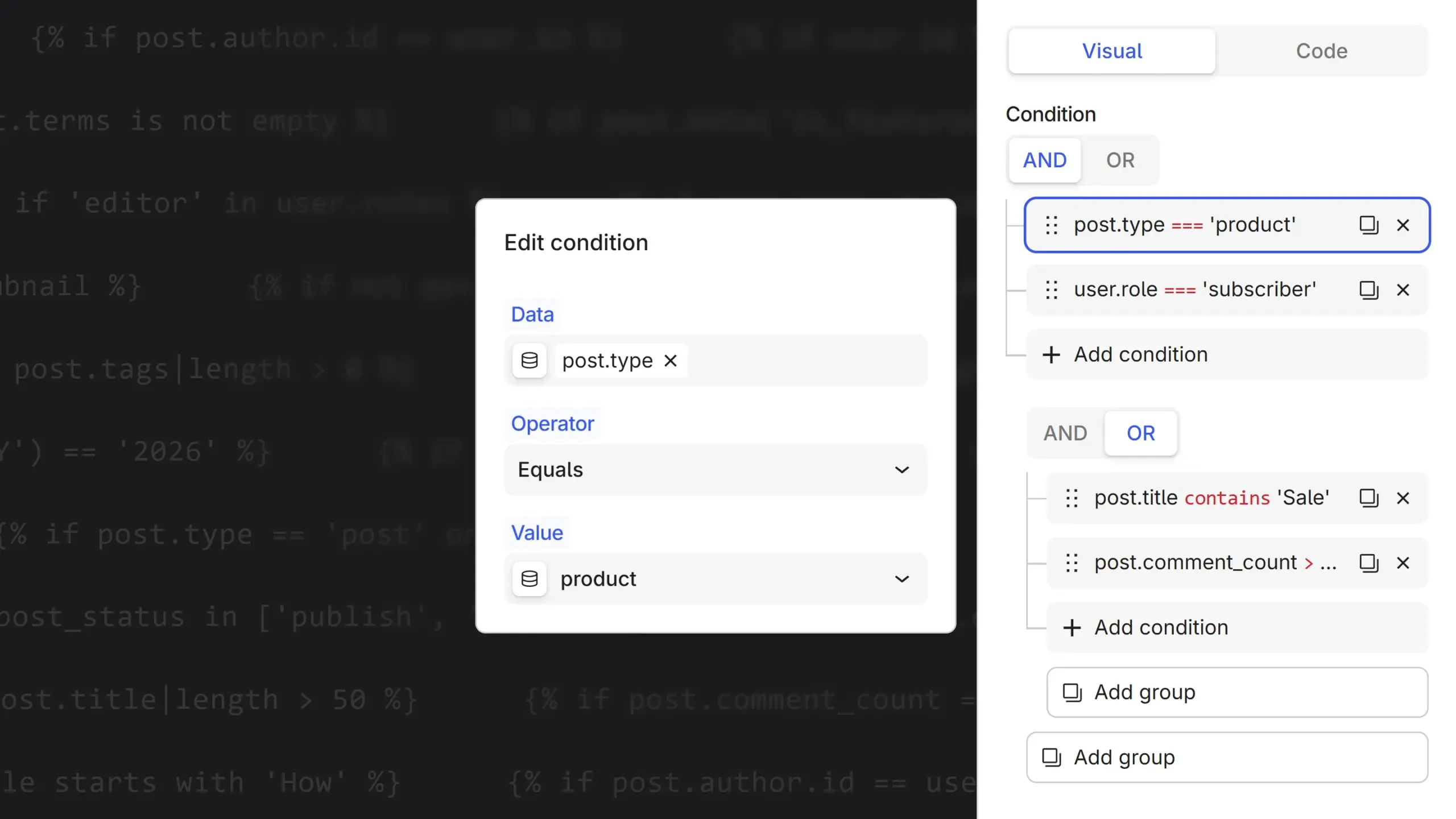
Conditions in Unblock have always been powerful, but until now you had to write them. Show this block when the post is a draft? You typed post.status == 'draft'. It’s clean enough once you know it. Knowing it is the problem. You had to remember where the status lives, spell the operator right, and quote the string just so. None of it is hard, but it’s all a wall if you’ve never seen it before.
This beta removes that wall. There’s a new Visual tab next to Code at the top of the panel, and it lets you build the same condition without typing any of it.
You add a condition and get a row with three fields. Pick the Data to check, using the same Data Picker you already know from everywhere else, so any dynamic value is a search away. Choose a Condition from a menu that reads in plain English, Equals, Starts with, Is empty, and set the Value. No syntax, no quotes, no operator to spell. Need more than one rule? Combine them with AND / OR, or nest them with a group. Flip back to Code at any point and there’s your condition in plain Twig, exactly what runs.
Values that fit the data
Here’s the part I like. Once you pick what to check on the left, the Value field stops guessing and starts offering the values that actually belong there.
Pick the post status and it lists your site’s real statuses. Pick user roles and it lists your roles. Point it at the author and it searches your users; point it at categories and it searches your terms. Each field knows what it holds, so the value side offers what fits instead of making you recall it.
It even follows what you’re really asking. Take a category but ask for its length, and it knows the answer is a number, not a category, so it stops offering categories.
The suggestions help, they don’t fence you in. Every value field still takes free text, and when Unblock isn’t sure what to offer, it stays quiet instead of handing you a confident wrong list.
Same plan as the Data Picker
A lot of visual condition tools lock you in. Start clicking their buttons and you can only do what the buttons allow. Unblock works the other way around. Visual mode is only a view of the same expression Code mode shows, so build it by clicking or type it by hand, you get the same thing underneath, and either can edit what the other made. Anything too involved for a tidy row shows up as raw text you can still edit.
This is the Data Picker doing its job again. It’s why we built that first: the condition builder leans on it to pull in dynamic data, so the same picker that fills your content now fills your conditions. And the rule holds everywhere: you can always drop a raw expression in when you want to go further.
Approachable by default, open whenever you need it. That’s the plan.