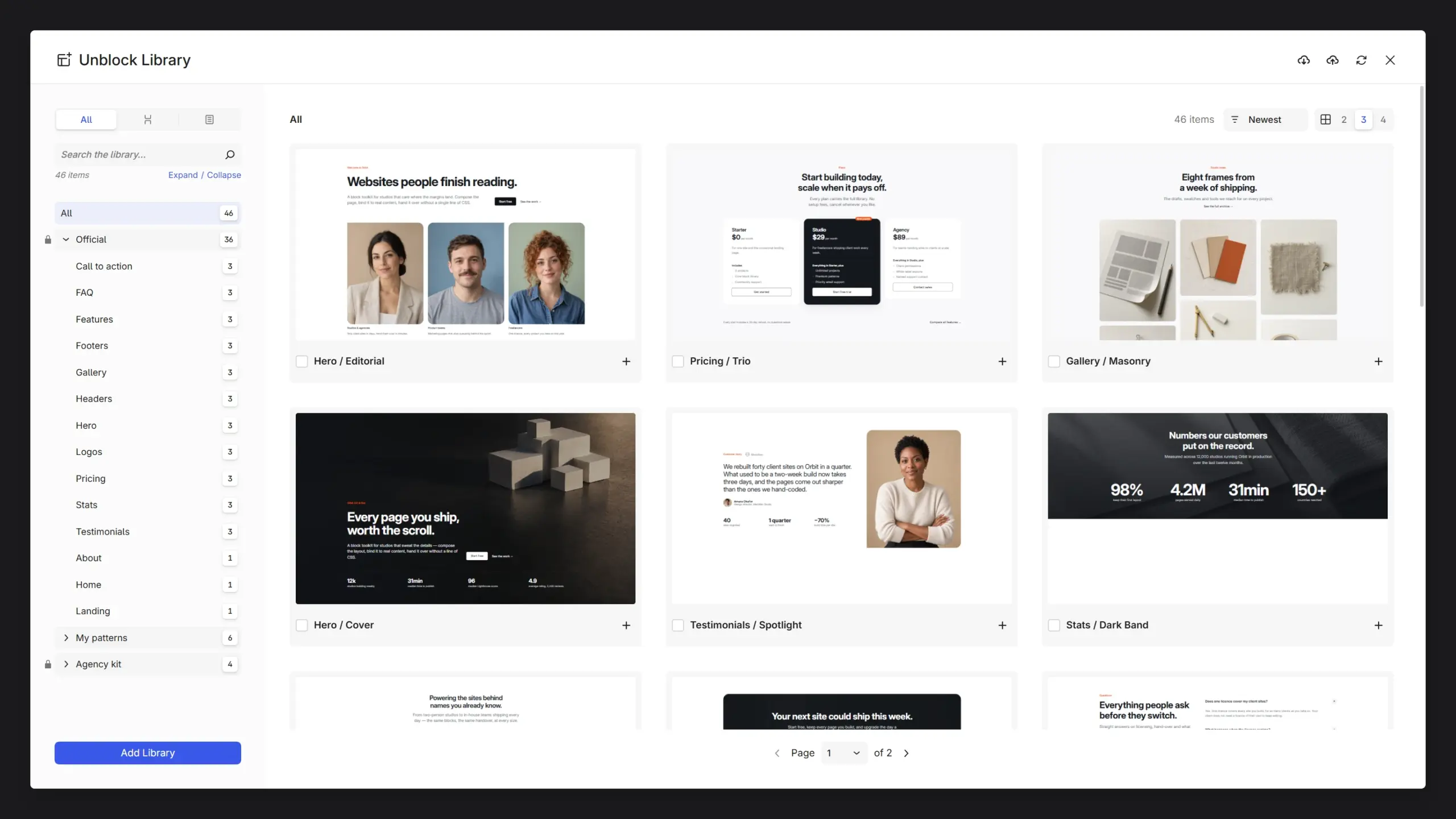
Most pages are built from the same few things: a hero, a few features, a pricing table, a FAQ, a footer. You shouldn’t have to rebuild them every time, and now you don’t have to. The Library opens from the editor toolbar with a set of ready-made patterns you can browse, preview and drop onto your page. After that they’re ordinary blocks, so change whatever you like.
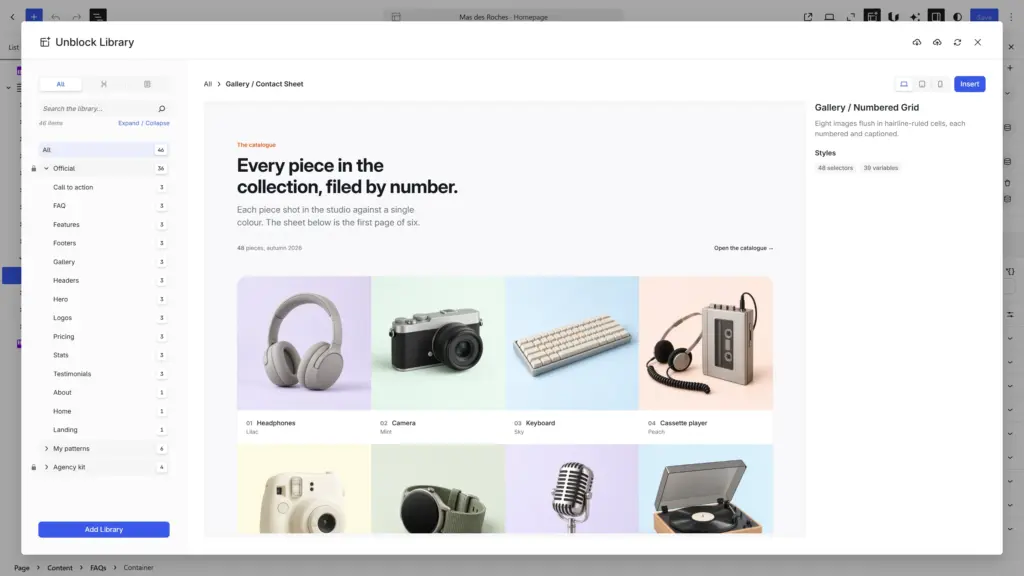
The previews aren’t screenshots, by the way. Each one is the pattern’s real HTML and CSS, shown at desktop, tablet or mobile width, so what you see is what you get.
One set of styles behind every pattern
What you don’t see is how they’re styled. Every official pattern draws on the same small CSS framework that ships with Unblock: one colour palette, one spacing scale, the same type sizes, the same buttons and cards. That’s why a hero from one category and a pricing table from another look like they belong on the same site.
It keeps your site light too. A pattern only brings the parts of the framework it actually uses, and they land in your design tools like styles you’d have written yourself. The next pattern reuses what’s already there, so after a few inserts most of them add nothing new. Nothing you already have gets overwritten either: if a class exists, yours wins.
Since everything points to the same variables, you restyle it all in one place. Change the primary colour and every pattern follows, hover shades included.
Saving your own
The official catalogue is a starting point. Your own sections can go in there too.
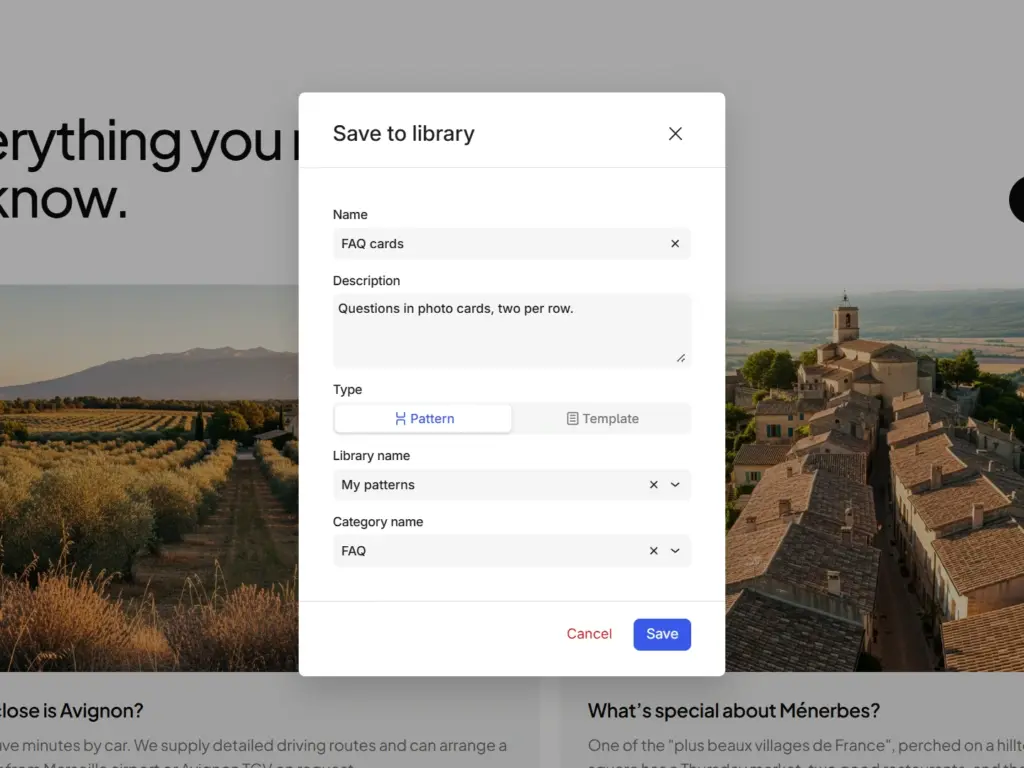
Select the blocks, open the block menu, click Save to library. Give the pattern a name and file it in a library and a category (type a new name and it’s created on the spot). Unblock keeps a copy of the styles those blocks use, so the pattern comes back complete wherever you insert it.
Sharing libraries between sites
Your libraries can also go out to other Unblock sites. You hand over a share URL and an access token, the token decides which libraries it opens, and you can pause or revoke it whenever the arrangement changes. On the receiving end they show up next to the official catalogue, read-only, and stay browsable even if your site goes down for a while.
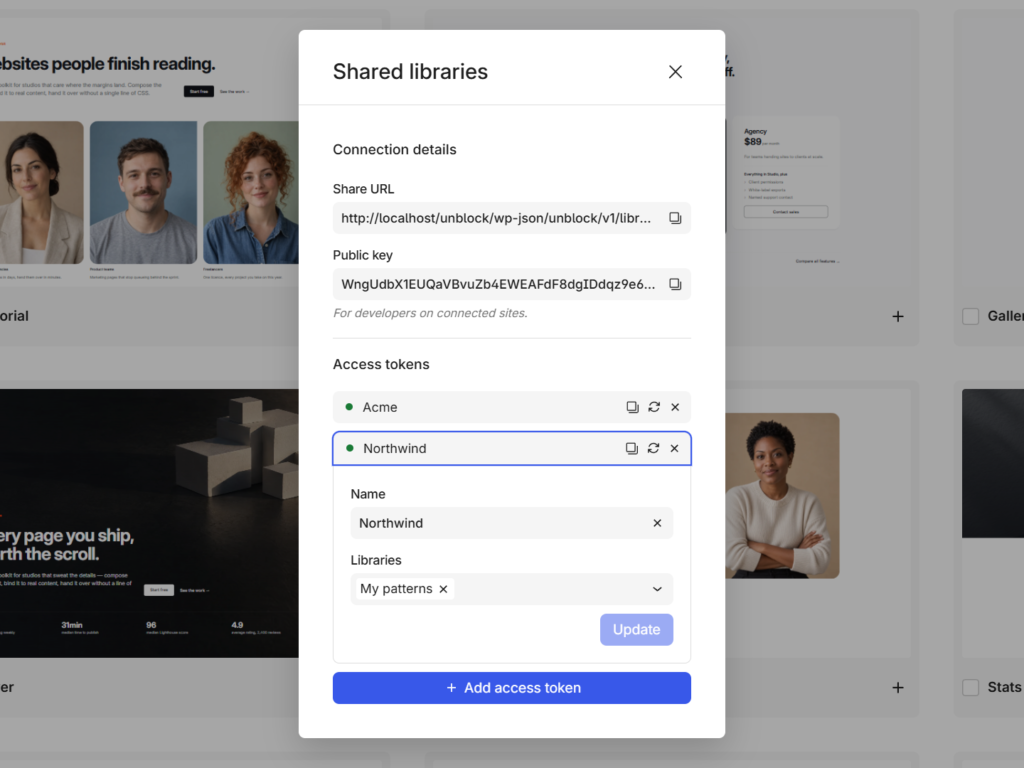
For agencies it’s the obvious setup: one library for your house patterns, one per client, each with its own token. And if you’d rather sell a library, the unblock/library/share_access filter is where you decide who gets to pull it.
Release candidate
This is 1.0.0-rc.1, the first release candidate. Nothing new goes into 1.0 from here: what’s left before stable is bug fixing, and it shouldn’t take long. New features pick up again right after, and a few are already in the works. If something breaks, now is the best time to report it.
Alongside the Library there’s the usual pile of fixes, a style reset for Unblock blocks and tighter permissions. The changelog has everything.
Links: Full changelog · Library docs · Roadmap