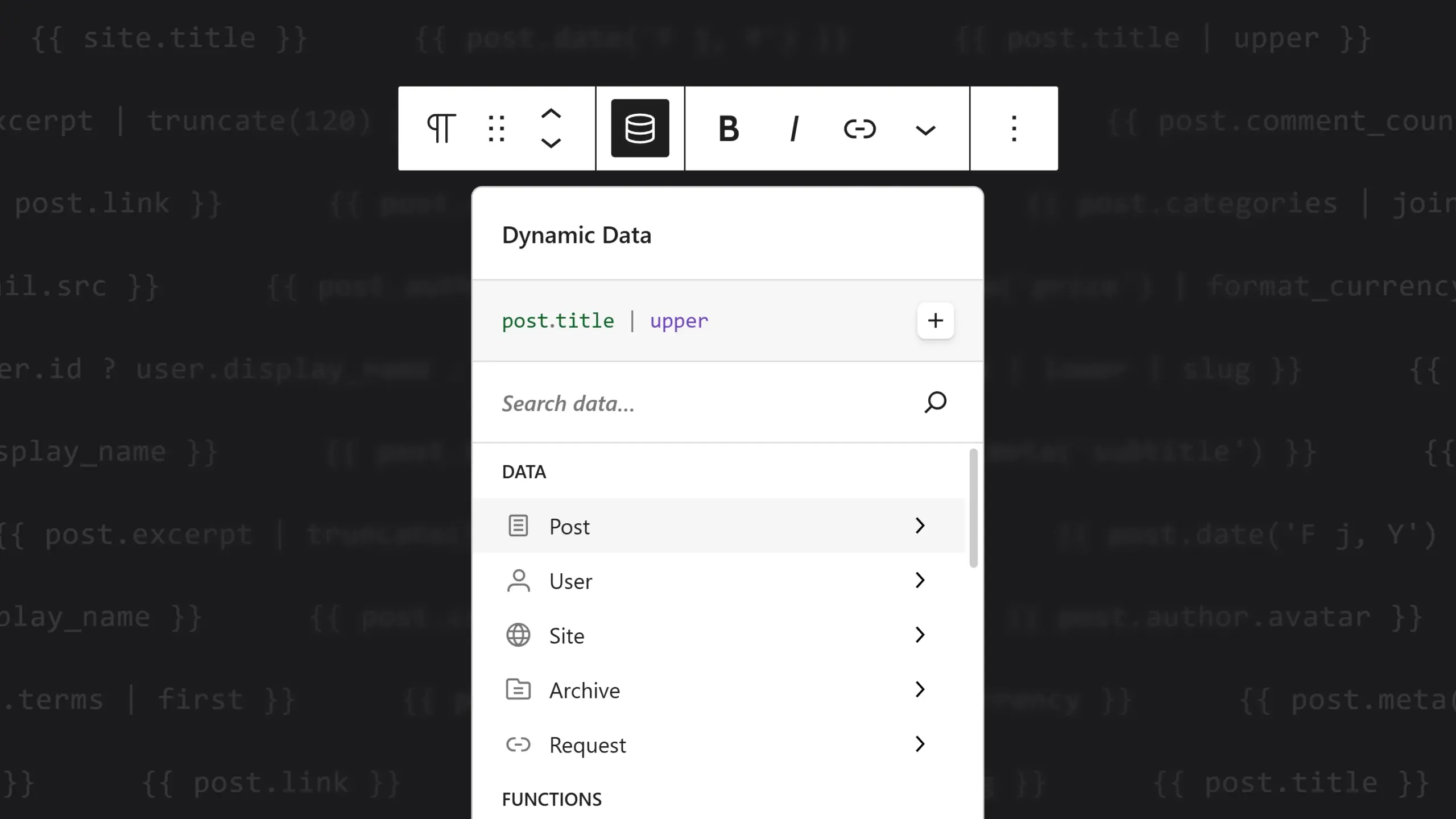
Dynamic data in Unblock has always been powerful, but that power came with a cost: you had to learn the syntax. It’s clean enough once you know it. Knowing it is the problem. You had to remember that a post’s author lives at post.author, that you capitalize with | upper, that an empty field needs a fallback. None of it is hard, but it’s all a wall if you’ve never seen it before.
beta.5 removes that wall. The new Data Picker lets you search for the data you want, pick it, and Unblock writes the expression for you.
Want the post title? Type title, hit Enter, and {{ post.title }} lands where your cursor was. No braces touched. Need the author’s name in uppercase? A couple of clicks and a filter from a menu, and you’re done.
The idea is simple: you shouldn’t have to memorize a language just to put the right data on a page. Build something complex, and have it work, without first learning how the plumbing is named.
Pick it, type it, or let AI write it
A lot of visual data tools lock you in. Once you start clicking their buttons, you can only do what the buttons let you do.
Unblock works differently. Everything the picker produces is a plain expression, the same one you’d write by hand. Put your cursor inside an expression you typed yourself, open the picker, and it loads pre-filled, ready to adjust. The AI assistant writes the same expressions too. So whether you click, type, or ask the AI, you get the same thing underneath, and any of the three can edit what the others made.
This works because there’s no proprietary format hiding in the middle. What Unblock writes is plain web: real HTML, real CSS, real Twig expressions you can read and change yourself.
Where this is heading
The Data Picker is the first visible piece of a longer plan. Every part of Unblock that still expects you to know something special is heading the same way: a visual entry point that produces the same open output, that the AI can drive, and that you can always open up and edit directly.
There’s more of it on the roadmap, and the rule stays the same everywhere: you can always drop a raw expression in when you want to go further. The assisted editing now landing in the inspector and the condition and query fields is part of the same direction.
Approachable by default, open whenever you need it. That’s the plan.